An overloaded office chair shows warning signs in a rough order: comfort problems first (hard, flattened seat foam), then mechanical problems (creaking, slow sinking), then structural problems (cracks, sudden drops, splaying). The structural signs mean stop using the chair immediately; the comfort and early mechanical signs mean plan a replacement, but you don’t have to stop today.
Key takeaways
- Visible cracks at the base, a sudden drop, or a loud snap under load mean stop sitting in the chair now.
- Gradual sinking, ongoing creaking, and flattened seat foam are real warning signs, but you can usually keep using the chair while you plan a replacement.
- The order signs typically appear in is foam, then tilt mechanism, then gas cylinder, then base and casters, as load builds over time.
- A chair rated for your weight can still show these signs early if it’s been used above its rating, used for extended hours, or is simply reaching the end of its service life.
- When unsure, inspect the chair standing up and empty before you sit back down in it.

Why does an overloaded chair fail in a specific order?
A chair manufacturer’s own technical blog on office chairs for heavy people lays out a load path running down through the chair: the seat foam takes the full sitting load first, the tilt mechanism’s internal plates and pivot pins take it second, the gas cylinder takes it third, and the base and casters take it fourth. Each stage has to survive the same load across thousands of sit-stand cycles, and according to that source, failure tends to show up in roughly this order as cumulative load increases. That’s useful for diagnosis: a chair that only feels harder to sit in is probably still in stage one, while one that’s cracking at the base has worked all the way through the sequence.
The testing standard written specifically for larger-occupant chairs, ANSI/BIFMA X5.11, defines its target user as someone with a body mass above 253 lbs and up to 400 lbs — roughly the 99.5th percentile male in the US — and requires chairs certified to it to survive higher lab loads than the general-purpose X5.1 standard: for example, a 400 lb load during swivel and caster-durability cycling, versus 250 lb under X5.1. That certification is a fixed number of lab cycles at a set load, not a lifetime guarantee against any amount of use above it — one reason the real-world failure sequence above can still show up over time even on a chair that passed its lab testing, once actual cumulative wear outpaces what the test cycles modeled.
The 7 warning signs, ranked
Stop using the chair immediately
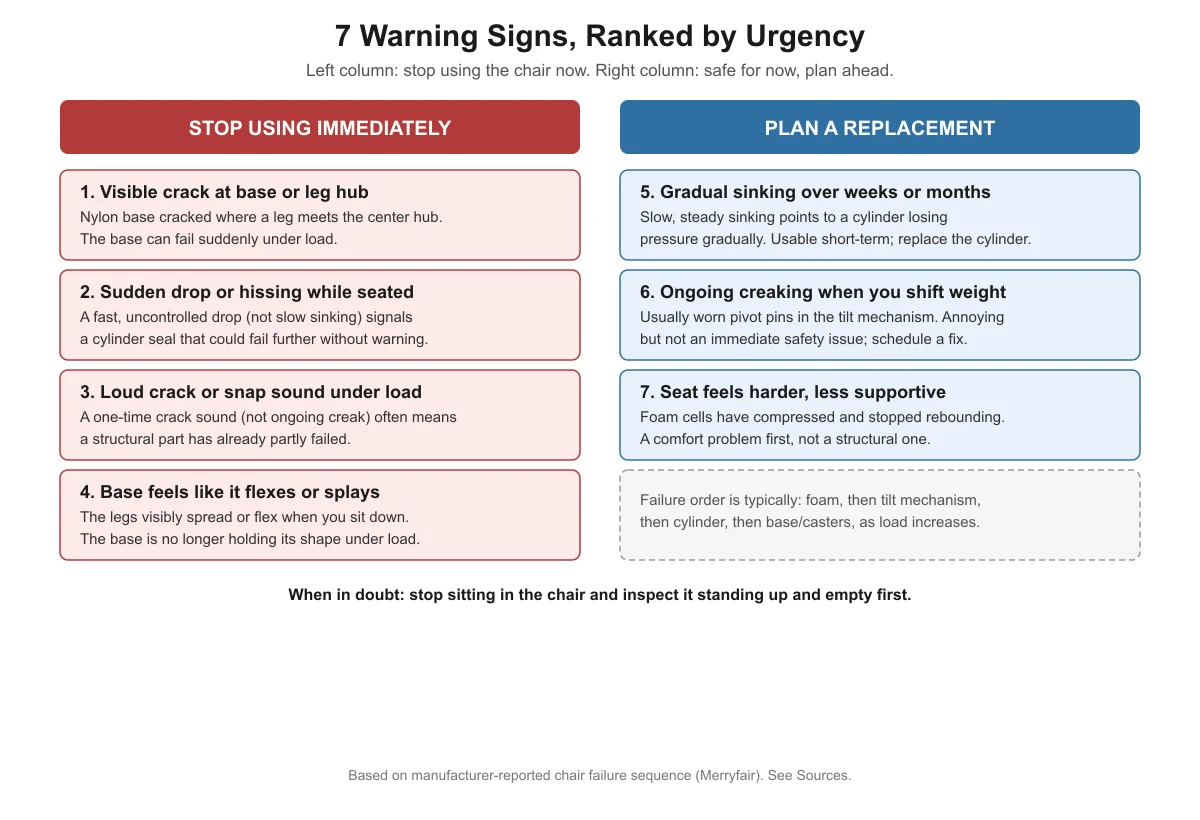
| # | Sign | Why it’s urgent |
|---|---|---|
| 1 | Visible crack at the base, usually where a leg meets the center hub | Nylon bases can develop stress cracks there under sustained heavy load, and a cracked base can fail suddenly without more warning |
| 2 | Sudden drop or a hissing sound while seated | A fast, uncontrolled drop (different from slow sinking) signals a cylinder seal that could fail further without notice |
| 3 | A loud crack or snap sound under load | A one-time snap, as opposed to an ongoing creak, often means a structural part has already partly given way |
| 4 | The base visibly flexes or splays when you sit down | The base is no longer holding its shape under load, which is a structural failure in progress |
Plan a replacement, no need to stop today
| # | Sign | What it usually means |
|---|---|---|
| 5 | Gradual sinking over weeks or months | The gas cylinder is slowly losing pressure; usable short-term, but plan to replace the cylinder |
| 6 | Ongoing creaking when you shift your weight | Usually worn pivot pins or plates in the tilt mechanism; annoying, not an immediate safety issue |
| 7 | The seat feels harder and less supportive than when new | Foam cells have compressed and stopped rebounding; a comfort issue, not a structural one |

How is this different from a chair that’s just old?
Age and overload produce overlapping signs, which is part of why this list is hard to find organized clearly anywhere else. A chair well under its weight rating, used for a normal workday, will eventually show the same foam-then-mechanism-then-cylinder-then-base sequence — just on a much longer timeline. What changes with overload (use above the rated weight, or far longer daily hours than the chair was designed for) is the speed: the same sequence of failures can arrive in a fraction of the time. If your chair is less than a year or two old and already showing stage-three or stage-four signs (cylinder or base issues), overload or very heavy daily use is a more likely explanation than ordinary age.
For the numbers behind weight ratings themselves, see what office chair weight capacity ratings really mean and how much weight capacity you actually need.
What to do once you’ve identified a sign
- Stop-using signs (1-4): Stop sitting in the chair. Inspect it empty, and if the base is cracked or splaying, replace the base rather than attempting a repair — it’s a load-bearing part.
- Sinking (5): This is very likely the gas cylinder. Our guide on why a heavy-duty office chair keeps sinking walks through confirming the cylinder and choosing a correctly rated replacement.
- Creaking without sinking or wobble (6): Likely the tilt mechanism. If the chair also wobbles when you lean back, see our wobble troubleshooting guide for the mechanism-specific steps.
- Flattened foam only (7): This is a comfort issue you can live with for a while, but it’s also a sign the chair has been carrying real load for a long time — a good point to start checking the chair’s warranty before something more serious happens. See our heavy-duty office chair warranty guide.

A 2-minute self-check you can run right now
- Stand the chair up empty. Walk around it and look at the five leg joints where they meet the base’s center hub. Any hairline crack here outweighs everything else on this list — stop and replace the base.
- Push down on the seat with both hands, empty. If it sinks noticeably on its own without you sitting in it, the gas cylinder seal is likely already compromised, not just slowly leaking.
- Sit down normally and hold still for 10 seconds. Listen for any sound at all. A single sharp crack means stop; a soft, repeating creak means plan ahead.
- Lean back slowly into a recline. Wobble or play that appears only during this motion points to the tilt mechanism specifically, not the base or casters.
- Roll the chair a few feet in each direction. A caster that catches, clicks, or feels loose is worth reseating or replacing on its own, separate from the rest of this check.
Run through these five steps in order and you’ll land on one of the seven signs above within about two minutes, without needing to guess which part is actually at fault.
Ranked checklist at a glance
FAQ
Can a chair be overloaded even if I’m under its weight rating?
Yes, in a practical sense. A weight rating assumes a typical daily use pattern. Using a chair far more hours per day than it was designed for, or with repeated hard impacts (dropping into the seat), can produce the same wear signs faster than the rating alone would suggest, even if your body weight itself is within the published limit.
Is creaking always a sign I need a new chair?
Not immediately. Creaking without sinking, wobble, or visible damage is most often the tilt mechanism’s pivot pins wearing, which is uncomfortable and worth planning around, but not an emergency. If creaking is joined by any stop-using sign — cracking, splaying, a sudden drop — treat it as urgent.
How often should I inspect a heavy-duty chair for these signs?
No official inspection interval exists; this is general common-sense guidance, not a cited standard. A quick visual check of the base and a side-to-side lean test every few months is a reasonable habit for a chair in daily heavy use, especially once it’s more than a year or two old.
What should I do if I see a stop-using sign but can’t replace the chair today?
Don’t sit in it. A cracked base or a chair that’s splaying can fail without further warning, and the risk isn’t worth a day’s convenience. Use a different chair, even a basic one, until the heavy-duty chair’s base or cylinder is repaired or replaced.
Sources
- Merryfair — Office Chairs for Heavy People (manufacturer technical blog on chair failure sequence)
- Micom Laboratories — ANSI/BIFMA X5.11 large-occupant chair testing summary
heavydutychairguide.com Editorial Team. Last updated: November 13, 2026.



One thought on “7 Warning Signs Your Office Chair Is Overloaded”