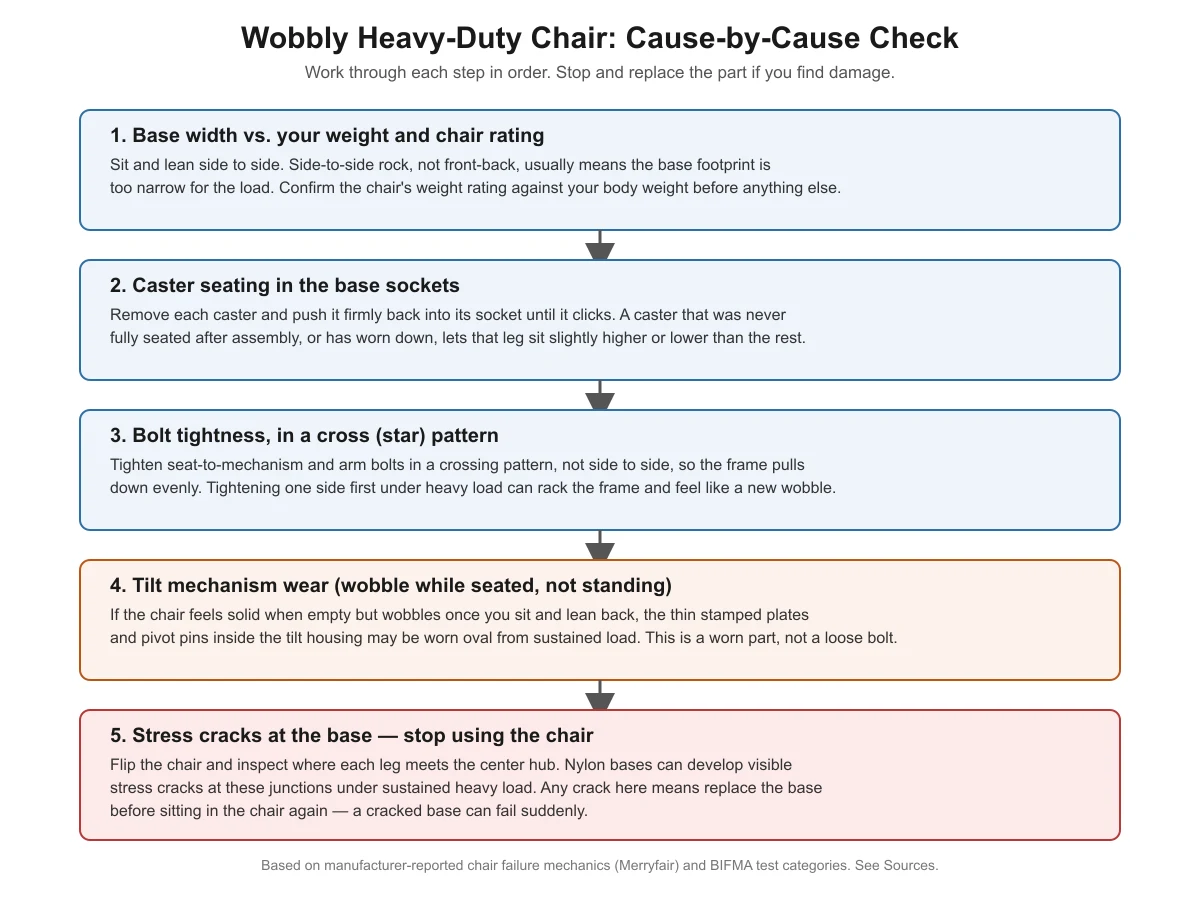
A wobbly heavy-duty office chair is almost always one of five things: an undersized base for your weight, a caster that never fully seated, bolts tightened unevenly, a worn tilt mechanism, or a cracked base. Check them in that order, standing the chair up empty first, then sitting and leaning before you decide which part needs work.
Key takeaways
- Test the chair both empty and seated — a wobble that only appears once you sit down usually points to the tilt mechanism, not the base.
- Loosen and re-tighten the seat and arm bolts in a crossing (star) pattern, not side to side, so the frame pulls down evenly.
- A narrow base relative to your weight causes side-to-side rock even when every bolt is tight.
- Stress cracks where a leg meets the base’s center hub mean stop using the chair, not just a tightening job.
- Not every “wobble” has the same fix — this guide separates loose-hardware wobble from worn-part wobble.
Why do heavy-duty chairs wobble more than standard chairs?
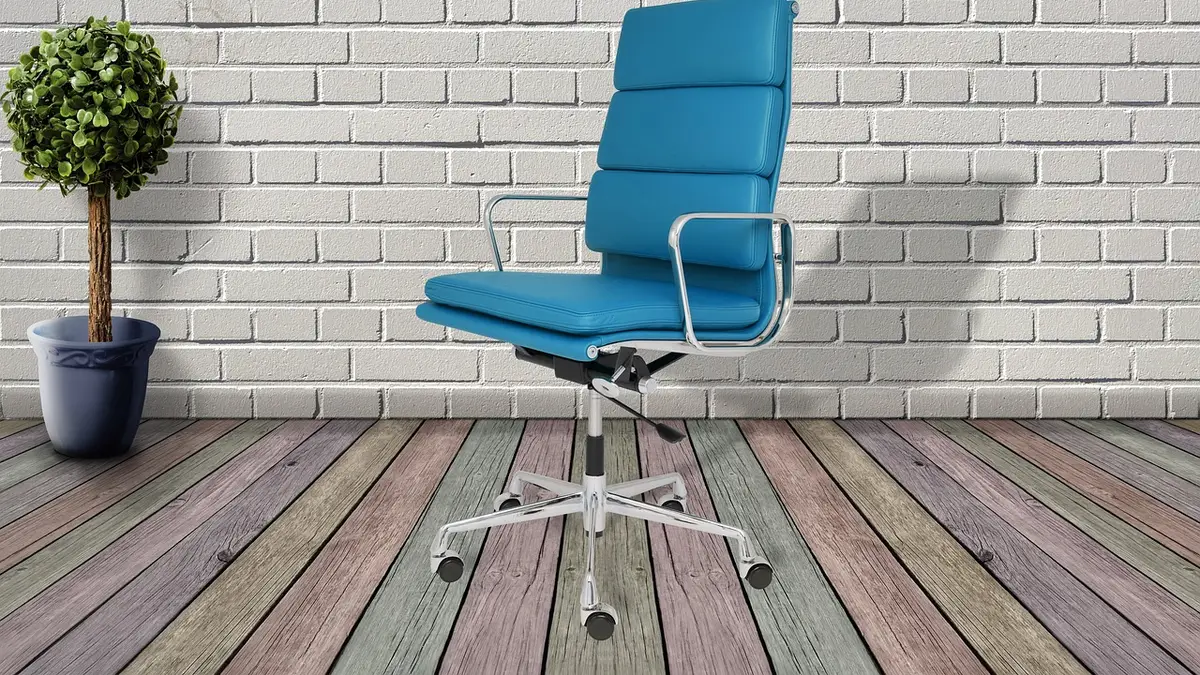
A heavy-duty chair carries more weight through the same small set of connection points as a standard chair: the base-to-leg joints, the caster sockets, and the bolts holding the seat to the tilt mechanism. Under sustained heavy load, a chair manufacturer’s own technical blog on office chairs for heavy people describes a specific failure sequence: seat foam compresses first, the tilt mechanism’s stamped plates and pivot pins wear second, the gas cylinder leaks third, and the base and casters flex or crack fourth. Wobble usually shows up at stage two (tilt mechanism) or stage four (base and casters) — not stage one or three, which feel more like sinking or softness than side-to-side movement. If your chair is sinking rather than wobbling, that’s a different repair; see our guide on why a heavy-duty office chair keeps sinking for the cylinder-specific fix.
Step 1: Check the base width against your weight and the chair’s rating
Sit in the chair and lean firmly side to side, not forward and back. If the chair rocks left-right even though every bolt is tight, the base’s footprint may be too narrow for the load it’s carrying. This is a sizing mismatch, not a defect you can tighten away.
Confirm two numbers before assuming a part is broken:
- Your body weight, measured, not estimated.
- The chair’s published weight rating, from the manufacturer’s own spec page or manual, not a reseller description.
If your weight is close to or over the rating, a wider base is the actual fix, not a repair. See our guide on what office chair weight capacity ratings really mean for how those ratings are tested.
Step 2: Reseat every caster
Lift the chair, grip each caster, and push it firmly straight up into its socket until you feel or hear it click into place. Casters are held in by friction-fit stems; one that was never fully seated during assembly — or has worked loose over months of rolling and sitting — lets that corner of the base sit slightly higher or lower than the others, which reads as a wobble even though nothing is broken.
While you’re down there, spin each caster by hand. A caster that doesn’t spin freely, or has a visible flat spot, is a different problem (the wheel itself) from one that simply isn’t seated.
Step 3: Re-tighten every bolt in a cross pattern
Most heavy-duty chairs hold the seat to the tilt mechanism, and the arms to the seat, with four to six bolts arranged in a circle or rectangle. Tightening them in sequence around the circle — rather than fully tightening one side before moving to the next — pulls the plate down unevenly and can rack the frame just enough to create a new wobble, even on an undamaged chair.
Instead, tighten bolts the way you would lug nuts on a wheel: opposite corners first, in a star or cross pattern, going around two or three times and snugging a little more each pass rather than fully tightening any one bolt first.
| Symptom | Most likely cause | What to do |
|---|---|---|
| Wobbles when empty and when seated, side-to-side | Base too narrow for the load, or a loose caster | Reseat casters first (free); if it persists, the base needs to match your weight rating |
| Solid when empty, wobbles only once you sit and lean back | Worn tilt mechanism (pivot pins, stamped plates) | Mechanism needs replacement — this is a worn part, not a loose bolt |
| New wobble right after you tightened the bolts | Bolts tightened unevenly, racking the frame | Loosen all bolts slightly and re-tighten in a cross pattern |
| Clicking or knocking from one leg when you roll the chair | Caster not fully seated | Remove and reseat that caster until it clicks |
| Visible crack where a leg meets the base hub | Stress crack in a nylon base | Stop using the chair; replace the base |
Step 4: Rule out a worn tilt mechanism
If the chair feels completely solid standing empty but wobbles the moment you sit down and shift your weight or recline, the problem is very likely inside the tilt mechanism housing under the seat, not the base. Under sustained heavy load, the thin stamped metal plates and pivot pins inside that housing can flex and wear oval over time, according to a manufacturer’s own technical description of how heavy-duty chairs fail. A worn mechanism isn’t something a wrench fixes — it needs to be replaced as a unit, and most heavy-duty chair parts suppliers sell mechanisms matched to specific chair models.
Step 5: Inspect the base for stress cracks — a stop-using-it sign
Tip the chair onto its side or back and look closely at each point where a leg of the base meets the center hub. Nylon bases under sustained heavy load can develop visible stress cracks exactly at these junctions; metal bases resist this kind of cracking better than nylon ones. Any crack at this joint means the base can fail without warning — stop sitting in the chair and replace the base before using it again. This is different from the tightening and reseating steps above: a cracked base is a part-replacement issue, not an adjustment.
If you’re shopping for a wider or sturdier replacement base, our big-and-tall vs. standard office chair comparison lays out how base width and frame material typically differ between the two categories.
A quick reference: wobble causes in order to check
FAQ
Can I fix a wobbly heavy-duty chair myself, or do I need a technician?
Reseating casters and re-tightening bolts in a cross pattern are both simple DIY steps that take about 10 minutes with a hex key. Replacing a worn tilt mechanism or a cracked base is still DIY-friendly for most people, since both are bolt-on parts, but you’ll need to order the correct part for your specific chair model rather than a universal one.
Why does my chair wobble only when I lean back, not when I sit still?
That pattern points to the tilt mechanism rather than the base or casters. Leaning back loads the pivot pins and stamped plates inside the mechanism housing, and if those have worn from sustained heavy use, you’ll feel play or wobble specifically during recline that isn’t present when you sit upright and still.
Is a wobbly chair actually dangerous, or just annoying?
It depends on the cause. A loose caster or unevenly tightened bolts are annoying but not typically dangerous. A cracked base is different — it can fail suddenly under load. If you see any crack at a base joint, treat it as a stop-using-it situation, not just an annoyance.
Will tightening the bolts tighter than normal stop the wobble for good?
No — overtightening doesn’t fix a sizing mismatch (base too narrow for your weight) or a worn part (tilt mechanism, cracked base), and it can strip the threads in the plate. Tighten bolts to snug, in a cross pattern, and stop there; if the wobble remains, move to the next step in the checklist rather than forcing the bolts further.
Sources
- Merryfair — Office Chairs for Heavy People (manufacturer technical blog on chair failure mechanics)
- Micom Laboratories — ANSI/BIFMA X5.1 general-purpose chair testing summary
- Micom Laboratories — ANSI/BIFMA X5.11 large-occupant chair testing summary
heavydutychairguide.com Editorial Team. Last updated: November 13, 2026.

One thought on “How to Fix a Wobbly Heavy-Duty Office Chair”